allora vs Microsoft To Do: Proactive Text Reminders
Microsoft To Do is free and functional. But it waits for you to open it. allora texts you when it matters - no app, no Microsoft account, no list to check.
Start with 3 days free, then choose annual or monthly pricing.
The Problem With Passive To-Do Lists
Microsoft To Do is a solid, free task app. But like most to-do list apps, it is passive. You have to open it, check your list, and decide what to do next. If you stop opening it, the list grows silently. allora flips that model - the reminder comes to you.
Notifications you dismiss
Push notifications from Microsoft To Do compete with every other app alert. They get swiped away in seconds. Text messages stay visible in your inbox.
Tied to Microsoft
Microsoft To Do requires a Microsoft account and works best within the Microsoft 365 ecosystem. allora works with any phone number on any carrier.
Lists grow without action
Adding tasks is easy. Acting on them is the hard part. Without proactive reminders at the right moment, tasks pile up and the list becomes a source of guilt.
Text it once. Get reminded at the right time.
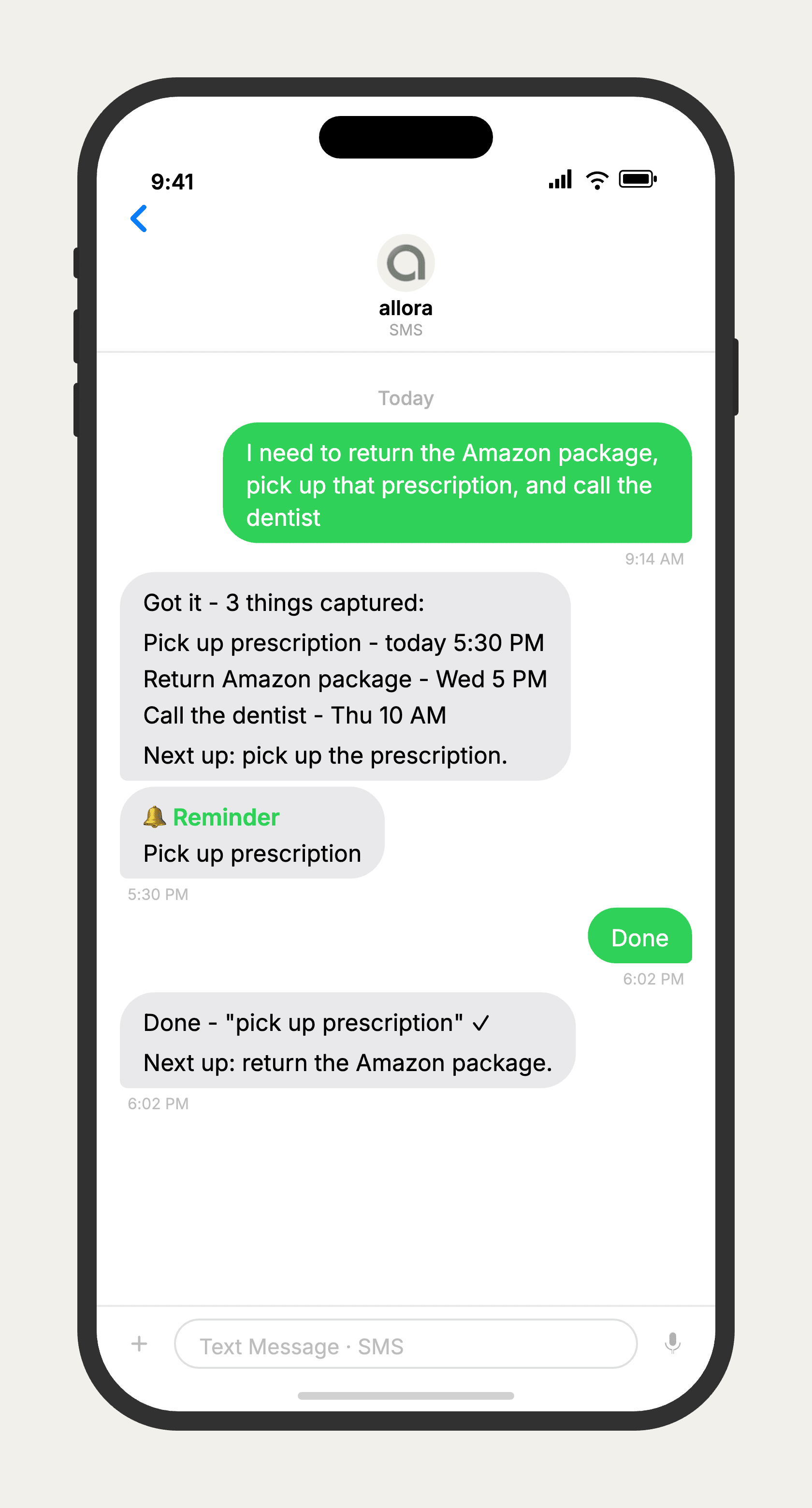
allora vs Microsoft To Do
Microsoft To Do is a free, capable task list app that integrates well with Outlook and Microsoft 365. allora is a text-message-based reminder service with no app to download and no account required. If you need shared lists, Outlook integration, or a free tool for managing tasks, Microsoft To Do is a good choice. If your to-do list keeps growing because you stop checking it, allora solves that by bringing the reminder to you as a text message.
Features based on publicly available information as of 2026. Microsoft To Do features may vary.
Tired of lists you never check?
allora works by text message. The reminder comes to you - no app, no list, no system.
Try It FreeWhat allora can do
What Microsoft To Do Cannot Do
allora goes beyond task lists. Everything works by text message.
Text Message Reminders
Set one-time or recurring reminders by texting in plain English. allora texts you back when the moment arrives.
Voice Memos
Send a voice note instead of typing. allora transcribes it and turns it into a task or reminder automatically.
Calendar-Aware Scheduling
Connect Google or Apple Calendar. allora checks your schedule and finds the right time for reminders.
Article & Video Summaries
Send any article URL or YouTube link. allora summarizes it and saves the key points for you.
Notes & Shopping Lists
Text a grocery list or a quick note. allora keeps it organized and sends it back when you need it.
Inspiration Mode
Get daily affirmations, motivational quotes, journal prompts, or sweet messages - on your schedule.
Tasks & Projects
Capture tasks in a text. allora organizes them, tracks progress, and nudges you to keep moving.
Works on Any Phone
No app to download. allora works entirely by text message - iPhone, Android, or any phone that texts.
allora vs Microsoft To Do - Common Questions
Microsoft To Do is a free task list app that works well within the Microsoft ecosystem. allora works entirely by text message and does not require any app or account. The biggest difference is that allora sends reminders to you proactively as texts - Microsoft To Do relies on push notifications you have to notice and act on.
For everyday reminders and personal tasks, yes. If you rely on Microsoft To Do for Outlook integration, shared lists, or Microsoft 365 workflows, those features are outside allora's scope. allora is for people who want to remember things without managing a list.
Microsoft To Do is free. allora costs $15/mo after a free 3-day trial. The tradeoff is simplicity and delivery - allora sends reminders as text messages without requiring you to open an app. If free is the priority and you reliably check your lists, Microsoft To Do works. If your lists keep growing without action, allora solves that.
No. allora works with any phone number. There is no account to create, no app to download, no ecosystem to join. Text your reminder, and allora handles the rest.
Push notifications from apps compete with dozens of other alerts - social media, news, email. They get swiped away without action. Text messages sit in your SMS inbox and stay visible until you deal with them. SMS has a 98% open rate (Gartner), compared to roughly 20% for push notifications (MobiLoud, 2025).
allora does not have a daily planning view. Instead, it sends you the right reminder at the right time throughout the day. You do not need to plan your day in advance - allora handles the timing based on when you created the reminder and what makes sense contextually.
Yes. Start texting your reminders and tasks to allora. There is no migration needed - most people switch in a day. For recurring reminders, text each one once and allora sets up the series automatically.
Yes. allora works via text message on any phone - iPhone, Android, or basic phones. Microsoft To Do requires a smartphone with the app installed or a browser. allora has no device requirements beyond SMS capability.
That is exactly who allora is built for. If your Microsoft To Do list keeps growing because you stop opening the app, allora solves the core problem. The reminder comes to you as a text message. You do not have to remember to check anything.
allora integrates with Google Calendar and Apple Calendar to schedule reminders around your existing events. Direct Outlook integration is not currently available, but many Outlook users sync their calendar to Google or Apple and use allora alongside it.