allora vs Apple Reminders: Proactive Text Reminders
Apple Reminders waits for you to check it. allora texts you when it matters - on any phone, any carrier, no iPhone required.
Start with 3 days free, then choose annual or monthly pricing.
The Difference Between Passive and Proactive Reminders
Apple Reminders is passive
It sends a push notification - easy to dismiss, easy to miss. Push notifications average just a 2-7% click-through rate (Business of Apps). If you swipe it away, the reminder is gone.
allora is proactive
allora sends you a text. You see it in your message thread, alongside the texts from people you actually respond to. It stays there until you act.
No iPhone required
Apple Reminders only works on Apple devices. allora works on any phone that can send a text - iPhone, Android, or anything in between.
Reminders Delivered to Your Messages, Not Buried in an App
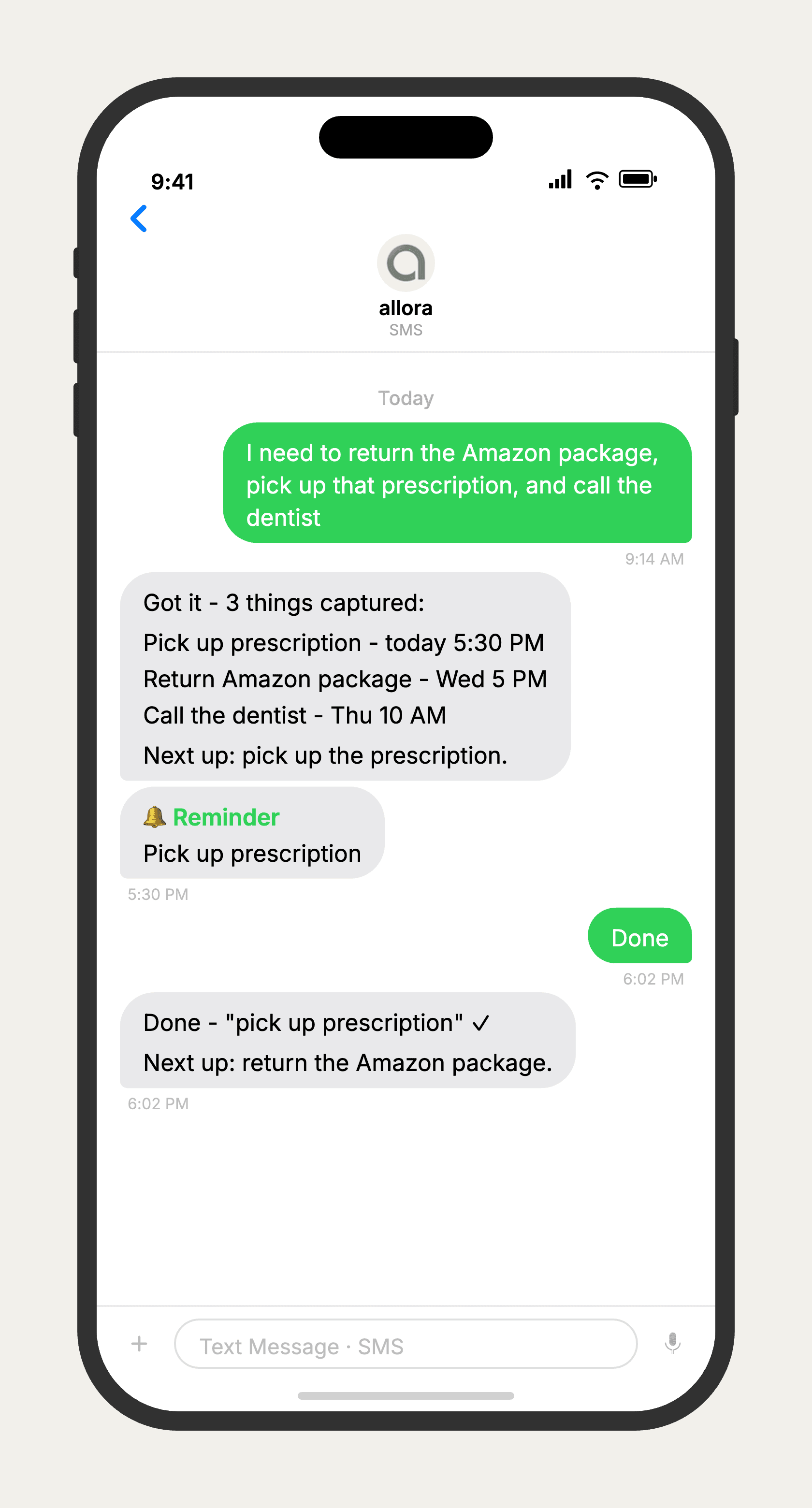
allora vs Apple Reminders
allora is built for people who set reminders in Apple Reminders and then forget to check the app. Apple Reminders sends push notifications that are easy to swipe away and forget. allora sends a text message - it stays in your message thread until you deal with it. allora also works on any phone, not just iPhones. If you rely on Siri integration or location-based reminders, Apple Reminders is the better choice. If your problem is that reminders disappear before you act on them, allora solves that.
Features based on publicly available information as of 2026. Apple Reminders features may vary by OS version.
Tired of reminders you have to check?
allora texts you. The reminder shows up where you already are.
Try It FreeWhat allora can do
Beyond What Apple Reminders Offers
allora does more than remind. Everything works by text message.
Text Message Reminders
Set one-time or recurring reminders by texting in plain English. allora texts you back when the moment arrives.
Voice Memos
Send a voice note instead of typing. allora transcribes it and turns it into a task or reminder automatically.
Calendar-Aware Scheduling
Connect Google or Apple Calendar. allora checks your schedule and finds the right time for reminders.
Article & Video Summaries
Send any article URL or YouTube link. allora summarizes it and saves the key points for you.
Notes & Shopping Lists
Text a grocery list or a quick note. allora keeps it organized and sends it back when you need it.
Inspiration Mode
Get daily affirmations, motivational quotes, journal prompts, or sweet messages - on your schedule.
Tasks & Projects
Capture tasks in a text. allora organizes them, tracks progress, and nudges you to keep moving.
Works on Any Phone
No app to download. allora works entirely by text message - iPhone, Android, or any phone that texts.
allora vs Apple Reminders - Common Questions
Apple Reminders requires you to open the app to see your tasks - it only pushes app notifications. allora sends you a text message, the same channel you already respond to. allora also works on Android and any phone, while Apple Reminders is iPhone and Mac only.
Yes. Because allora works via text message, it works on any phone that can send and receive texts - iPhone, Android, or any other phone. No app store required.
For simple reminders and recurring tasks, yes. allora doesn't have Siri integration or location-based reminders. But for most daily tasks - appointments, follow-ups, medications, errands - allora works better because it proactively texts you instead of waiting for you to check an app.
Yes, allora integrates with Google Calendar, Apple Calendar via iCloud, and Microsoft Outlook. When you create a reminder, allora checks your calendar for conflicts and schedules around them.
That is exactly who allora is built for. If you set a reminder in Apple Reminders and then forget to look at it, the reminder failed. allora texts you - so the reminder arrives where you already are.
There is no import tool, but you do not need one. Just start texting allora your reminders going forward. Most people switch in a day. Text your recurring reminders once and allora handles the schedule from there.
Not directly. allora works through text messaging, not voice assistants. However, you can use Siri to dictate a text message to allora. Say "Hey Siri, send a text to allora" and dictate your reminder. allora receives it as a regular text.