Voice Memo Reminders - Talk Instead of Type
Send a voice memo to allora and it turns your words into reminders and tasks. Driving, cooking, walking - just talk and allora handles the rest.
Start with 3 days free, then choose annual or monthly pricing.
Your Best Ideas Come When Your Hands Are Full
Voice memo reminders let you capture tasks and reminders by speaking instead of typing. Send allora a voice message and it transcribes your words, extracts the tasks, and sets reminders automatically. No typing, no wake words, no special syntax - just talk like you are telling a friend.
Typing while driving is dangerous
You think of something important behind the wheel. Typing is not an option. With allora, hold the mic button, say what you need to remember, and send. Eyes on the road.
Voice assistants need exact phrasing
"Hey Siri, set a reminder for..." - and then it misunderstands you. allora handles natural speech. Ramble, correct yourself, say it however it comes out.
Ideas vanish when your hands are full
Cooking, carrying groceries, holding a baby - the best thoughts arrive at the worst times for typing. A quick voice memo captures the thought before it disappears.
Groceries, appointments, ideas. All captured by voice.
How Voice Memo Reminders Work
Talk into your phone. allora turns it into a reminder.
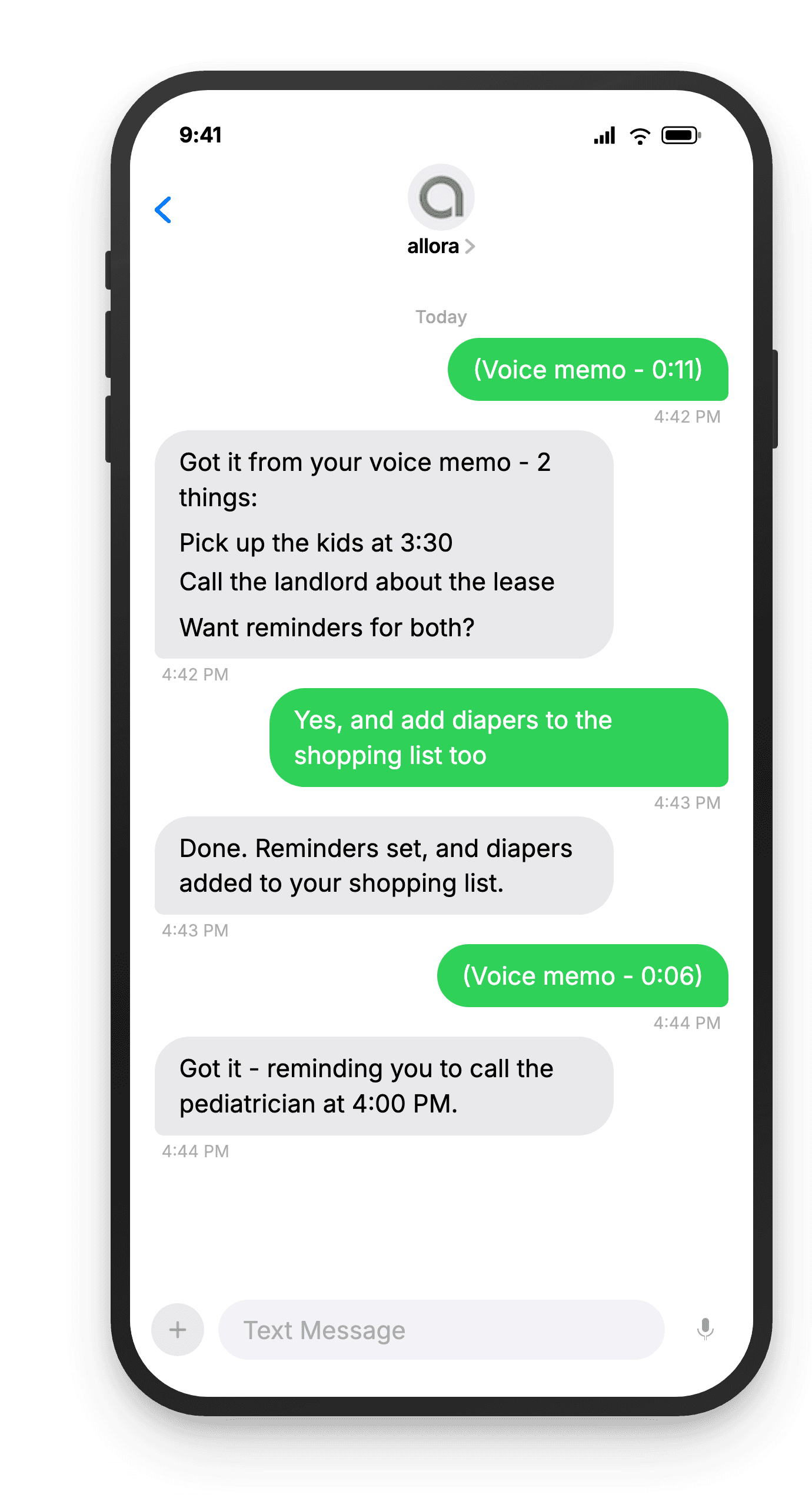
Record a voice memo and send it to allora
Hold the microphone button in your messaging app and talk. "Pick up the cake for Sarah's party Friday" - send it like any voice message. No special app, no wake words.
"Pick up the cake for Sarah's party Friday"
allora transcribes and understands
allora listens to your voice memo, transcribes it, and extracts the tasks and timing. It understands natural speech - pauses, corrections, and casual phrasing included.
Got it - pick up cake for Sarah's party. Reminder set for Friday 10:00 AM.
You get a text reminder at the right time
The reminder arrives as a text message just like any other allora reminder. You talked once, and the task is handled. Reply to reschedule, mark done, or add more detail.
Reminder: Pick up cake for Sarah's party
Ready to capture ideas the moment they hit?
Send a voice memo. allora turns it into a reminder.
Try It FreeWhat allora can do
More Than Voice Memos
Voice input is one way in. Here is everything allora does by text and voice.
Text Message Reminders
Set one-time or recurring reminders by texting in plain English. allora texts you back when the moment arrives.
Voice Memos
Send a voice note instead of typing. allora transcribes it and turns it into a task or reminder automatically.
Calendar-Aware Scheduling
Connect Google or Apple Calendar. allora checks your schedule and finds the right time for reminders.
Article & Video Summaries
Send any article URL or YouTube link. allora summarizes it and saves the key points for you.
Notes & Shopping Lists
Text a grocery list or a quick note. allora keeps it organized and sends it back when you need it.
Inspiration Mode
Get daily affirmations, motivational quotes, journal prompts, or sweet messages - on your schedule.
Tasks & Projects
Capture tasks in a text. allora organizes them, tracks progress, and nudges you to keep moving.
Works on Any Phone
No app to download. allora works entirely by text message - iPhone, Android, or any phone that texts.
Voice Memo Reminders - Common Questions
Send allora a voice message through your phone's messaging app - the same way you send a voice text to a friend. allora transcribes the audio, extracts tasks and timing, and sets reminders automatically. You get a text confirmation and then a text reminder when the time comes.
allora uses advanced AI transcription that handles natural speech patterns, including pauses, filler words, and self-corrections. It works well with conversational phrasing - you do not need to speak in commands. If something is unclear, allora asks a follow-up question.
Voice transcription currently works best in English. allora can understand accents and casual speech patterns. Support for additional languages is being explored.
Voice memos up to a few minutes work well. Most people send 5 to 30 second messages - a quick brain dump of what they need to remember. Longer recordings are transcribed but shorter, focused messages tend to produce the best results.
Voice memos are included in your allora subscription at $15/mo after a free 3-day trial. No extra charge for voice messages versus text messages. Every feature works the same way.
Voice memos are useful when you are driving, cooking, walking, or have your hands full. They are also great for brain dumps. It is faster to say "remind me to call the dentist tomorrow, pick up groceries after work, and send the invoice to Sarah" than to type all of that.
Yes. Record a voice memo that describes the reminder and allora handles the rest. Say "remind me Thursday at 3pm to call the contractor" and allora creates the reminder with the right time and context. No typing, no forms, no tapping through an app.
No. allora transcribes the voice memo into text and processes the text to create tasks and reminders. The original audio is not stored. Only the transcription and resulting reminders are kept in your account.