allora vs Notion: A Simpler Alternative for Reminders
Notion is a powerful workspace for teams and documents. allora is for the person who just wants to remember things - without building a system first.
Start with 3 days free, then choose annual or monthly pricing.
When Your Workspace Becomes Work
Notion is a remarkable tool for teams, documentation, and complex projects. But for everyday reminders, it requires you to build a system before you can use it. Pages, databases, properties, views. For the person who just needs to remember to call the dentist, that is too much.
Setup before you start
Notion requires you to create pages, databases, and templates before you can track a single task. allora works the moment you send your first text.
Notifications get lost
Notion reminders are push notifications inside the app. They compete with every other alert on your phone and disappear when dismissed.
The blank page problem
Notion gives you infinite flexibility. That is powerful for teams - and paralyzing for someone who just wants to remember to pick up groceries.
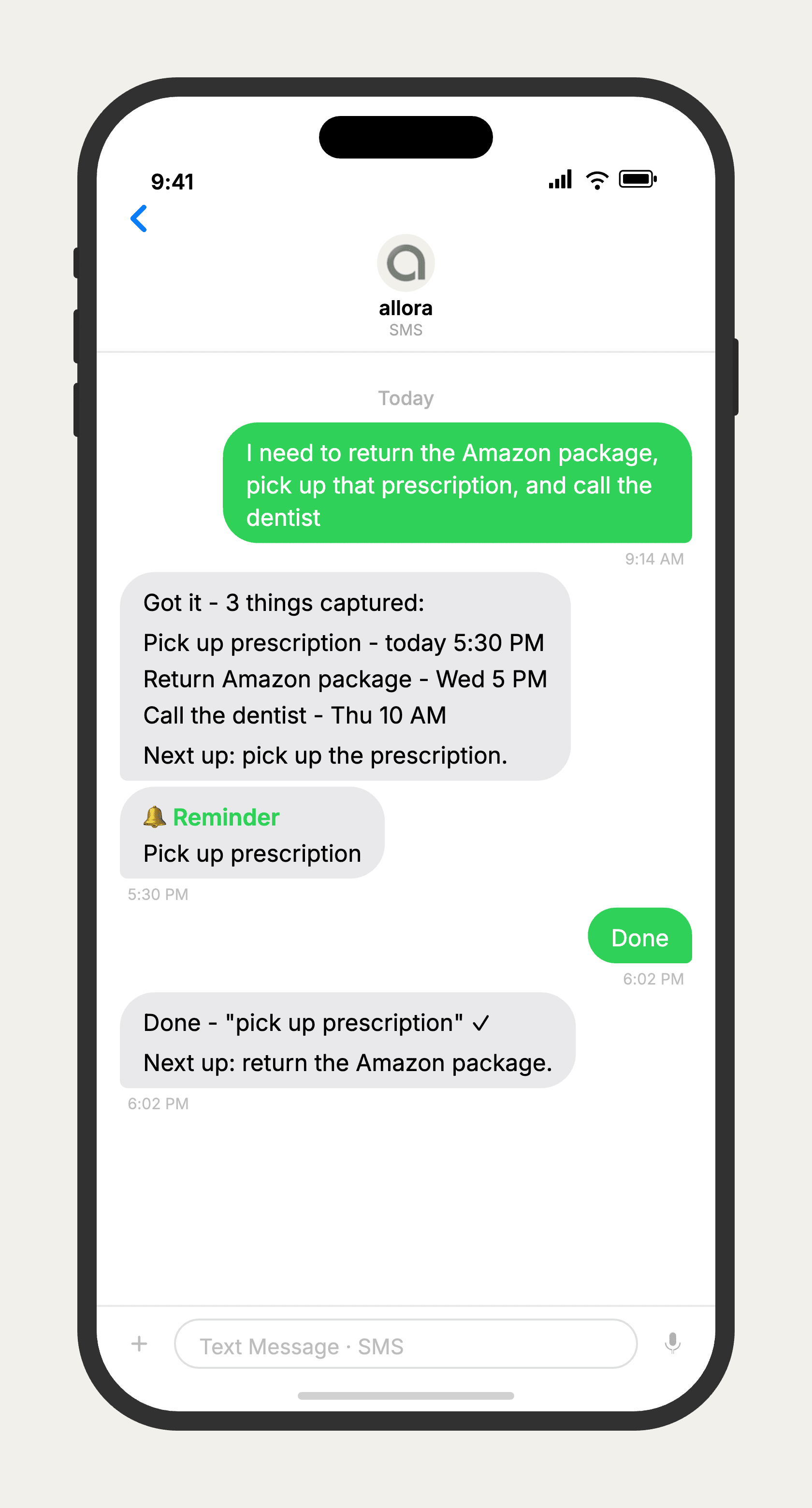
No database needed. Just text it.
allora vs Notion
Notion is a workspace platform that can do almost anything - documents, databases, wikis, and task management. allora does one thing: text-based reminders. If you need team collaboration, project documentation, or a flexible workspace, Notion is the right tool. If you want reminders that come to you as text messages without any setup, allora is simpler and faster. Many people use both - Notion for work and allora for personal reminders.
Features based on publicly available information as of 2026. Notion features may vary by plan.
Done with building systems?
allora works by text. No databases, no templates, no blank pages.
Try It FreeWhat allora can do
What Notion Was Not Built For
allora goes beyond task lists. Everything works by text message.
Text Message Reminders
Set one-time or recurring reminders by texting in plain English. allora texts you back when the moment arrives.
Voice Memos
Send a voice note instead of typing. allora transcribes it and turns it into a task or reminder automatically.
Calendar-Aware Scheduling
Connect Google or Apple Calendar. allora checks your schedule and finds the right time for reminders.
Article & Video Summaries
Send any article URL or YouTube link. allora summarizes it and saves the key points for you.
Notes & Shopping Lists
Text a grocery list or a quick note. allora keeps it organized and sends it back when you need it.
Inspiration Mode
Get daily affirmations, motivational quotes, journal prompts, or sweet messages - on your schedule.
Tasks & Projects
Capture tasks in a text. allora organizes them, tracks progress, and nudges you to keep moving.
Works on Any Phone
No app to download. allora works entirely by text message - iPhone, Android, or any phone that texts.
allora vs Notion - Common Questions
Notion is a workspace platform built for documents, databases, and team collaboration. It can handle reminders, but only after you set up a database, configure properties, and create views. allora works entirely by text message. You text what you need to remember and get a reminder at the right time. No setup required.
For simple reminders and personal to-dos, yes. If you use Notion for project planning, wikis, team documentation, or complex databases, those features are outside allora's scope. allora is for people who want to remember things without building a system first.
allora is free for 3 days, then $15/mo with full access to text message reminders. Notion offers a free tier for personal use and paid plans starting at $10/mo for teams. The key difference is allora requires no setup - you start texting reminders immediately.
Notion can send reminder notifications, but they are app-based push notifications that compete with every other alert on your phone. allora sends reminders as text messages - the same channel you already check and respond to throughout the day. No app to open.
If Notion feels like too much, allora is the opposite experience. Notion requires you to design your own system - pages, databases, templates, views. allora has one interface: your text messages. You text what you need to remember, and allora handles the scheduling. There is nothing to configure.
Yes. Many people use Notion for long-form notes and project planning, and allora for quick reminders and daily tasks. allora connects to Google Calendar and Apple Calendar, so your reminders stay in sync with your schedule regardless of what other tools you use.
No. allora is intentionally simpler. There are no templates, databases, pages, or views. You text what you need to remember and allora reminds you. If you need a knowledge base or project wiki, Notion is the better tool. If you just need to stop forgetting things, allora is the better tool.
Yes. There is no import tool needed. Just start texting your reminders to allora. Most people are fully switched within a day. For recurring tasks, text each one once and allora schedules the series automatically.
allora works on any phone that can send text messages - iPhone, Android, even basic phones. No app download, no browser tab, no account to log into. Notion requires a smartphone or computer with the app or browser.
Many users with ADHD find Notion overwhelming because of the blank-page problem - you have to design your own system before you can use it. allora removes that barrier entirely. Text what is on your mind and the reminder comes to you. No setup, no organization, no system to maintain.
More comparisons
allora vs OneNote
A strong notebook, but built for archiving - not reminding.
Read more →allora vs Asana
Team projects vs the personal reminders you don't want in a team tool.
Read more →allora vs Todoist
Project manager vs personal reminder. Which do you need?
Read more →allora vs TickTick
Simplicity vs feature overload. One text vs one more app.
Read more →