Text Reminders for Busy Professionals
Your brain is not a task manager. Capture action items in 10 seconds between meetings. allora reminds you at the right time - no app to manage.
Start with 3 days free, then choose annual or monthly pricing.
Your Work Tools Track Projects. Who Tracks You?
You have Slack, email, a project management app, and a calendar. None of them handle the personal action items - the follow-up you thought of in the elevator, the call you need to make before end of day, the thing you promised a client you would check on. allora handles the stuff that falls between the cracks of your work tools.
Action items vanish between meetings
You walk out of a meeting with three things to do. By the time you sit down, you remember two. The third one resurfaces at 11 PM.
Personal tasks do not fit in work tools
Picking up dry cleaning and reviewing a contract are both on your mind. One belongs in Jira. Neither belongs in your head.
Too many systems, not enough doing
Email reminders, calendar events, Slack saved messages, sticky notes. You spend more time deciding where to put things than doing them.
Monday morning. Three action items. Ten seconds.
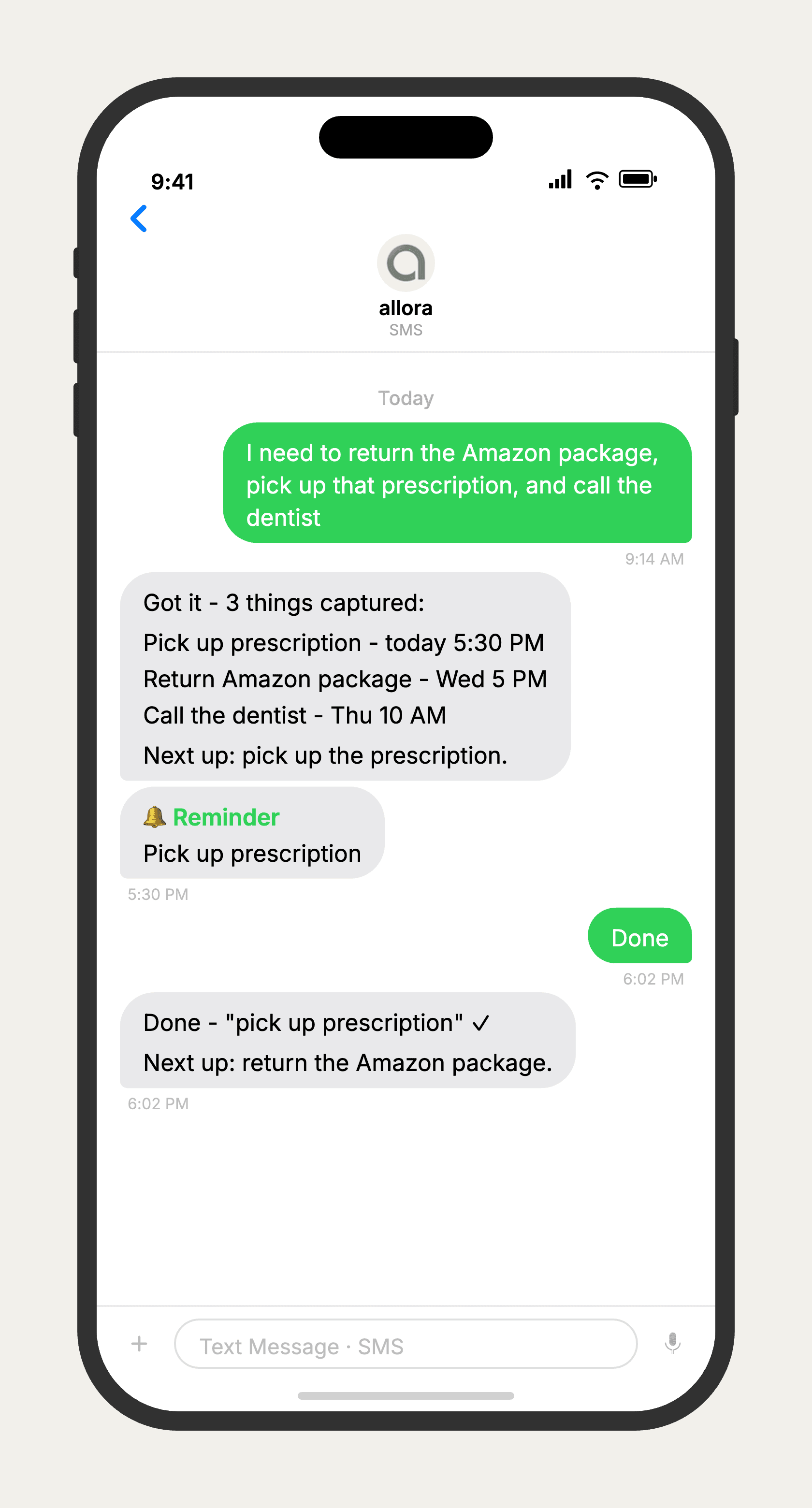
How It Works
Three steps. No signup flow, no tutorial, no settings to configure.
Capture between meetings
Walking out of a meeting with three follow-ups? Text them to allora in 10 seconds. No app to open, no note to file. The action items are captured before the next meeting starts.
follow up with Sarah on proposal, review Q2 numbers before thursday, send contract to legal
allora schedules intelligently
allora reads the context and schedules each reminder for the right time. It checks your calendar for conflicts and finds the best window. No manual date picking required.
Got it - 3 things: • Follow up with Sarah - tomorrow 9:00 AM • Review Q2 numbers - Wednesday 2:00 PM • Send contract to legal - today 4:00 PM
The reminder reaches you
When it is time to act, you get a text. Not a notification buried in your phone. A text message - the same channel you already respond to between meetings and calls.
🔔 Reminder: Follow up with Sarah on proposal
Stop tracking things in your head.
Text what you need to remember. allora handles the rest.
Try It FreeWhat allora can do
Your Personal Assistant by Text
allora does more than remind. Here is everything it handles.
Text Message Reminders
Set one-time or recurring reminders by texting in plain English. allora texts you back when the moment arrives.
Voice Memos
Send a voice note instead of typing. allora transcribes it and turns it into a task or reminder automatically.
Calendar-Aware Scheduling
Connect Google or Apple Calendar. allora checks your schedule and finds the right time for reminders.
Article & Video Summaries
Send any article URL or YouTube link. allora summarizes it and saves the key points for you.
Notes & Shopping Lists
Text a grocery list or a quick note. allora keeps it organized and sends it back when you need it.
Inspiration Mode
Get daily affirmations, motivational quotes, journal prompts, or sweet messages - on your schedule.
Tasks & Projects
Capture tasks in a text. allora organizes them, tracks progress, and nudges you to keep moving.
Works on Any Phone
No app to download. allora works entirely by text message - iPhone, Android, or any phone that texts.
Professional Reminders - Common Questions
Text action items between meetings, set follow-up reminders for client calls, schedule recurring tasks like weekly reports. allora captures everything in seconds and reminds you at the right time - no app to manage alongside your work tools.
Yes. allora integrates with Google Calendar, Apple Calendar, and Microsoft Outlook. When you set a reminder, allora checks your calendar for conflicts and schedules around your meetings.
allora does not share your data with third parties. Your reminders are tied to your phone number and are not used for advertising or analytics. See our security page for details.
For personal reminders and action items, yes. If you need project management, team collaboration, or Gantt charts, keep your existing tools. allora handles the personal side - the follow-ups, the calls to make, the things you need to remember but do not need a project board for.
Most professionals capture action items in under 10 seconds. Text what you need to remember, hit send. No app to unlock, no project to select, no priority to set. allora figures out the rest.
Yes. "Every Friday at 4pm send weekly status update" or "every Monday morning review the pipeline." allora sets up recurring reminders and texts you on schedule. No calendar event to create, no repeat toggle to configure.
Calendar reminders fire once and disappear unless you dig back into the app. allora sends a text that stays in your message thread until you act on it. You can reply to reschedule, mark it done, or snooze. The reminder is a conversation, not a notification.
That is exactly how most professionals use it. Keep Slack, Asana, or Jira for team projects. Use allora for the personal action items that do not belong in a shared workspace. The follow-up call, the contract review, the expense report you keep forgetting.