Why allora Beats Traditional To-Do List Apps
To-do list apps give you a list. allora gives you a reminder at the right moment. No app to download, no list to manage, no system to maintain.
Start with 3 days free, then choose annual or monthly pricing.
The To-Do List Trap
To-do list apps promise organization. What they deliver is another inbox. You add tasks, forget to check them, feel guilty about the growing list, and eventually abandon the app. Productivity apps lose over 95% of users within 30 days (Business of Apps). The problem was never the app - it was the concept. A list you have to check is a list you will eventually stop checking.
Lists grow, motivation shrinks
Every to-do list app starts clean. Within weeks, the list has 50+ items. You stop opening it because the list itself feels overwhelming.
Organizing becomes the task
Tags, priorities, due dates, projects. You spend more time managing the system than doing the work. The app becomes overhead, not help.
Passive means forgotten
A to-do list waits for you to look at it. If you forget to check - and you will - the tasks just sit there. allora brings the reminder to you.
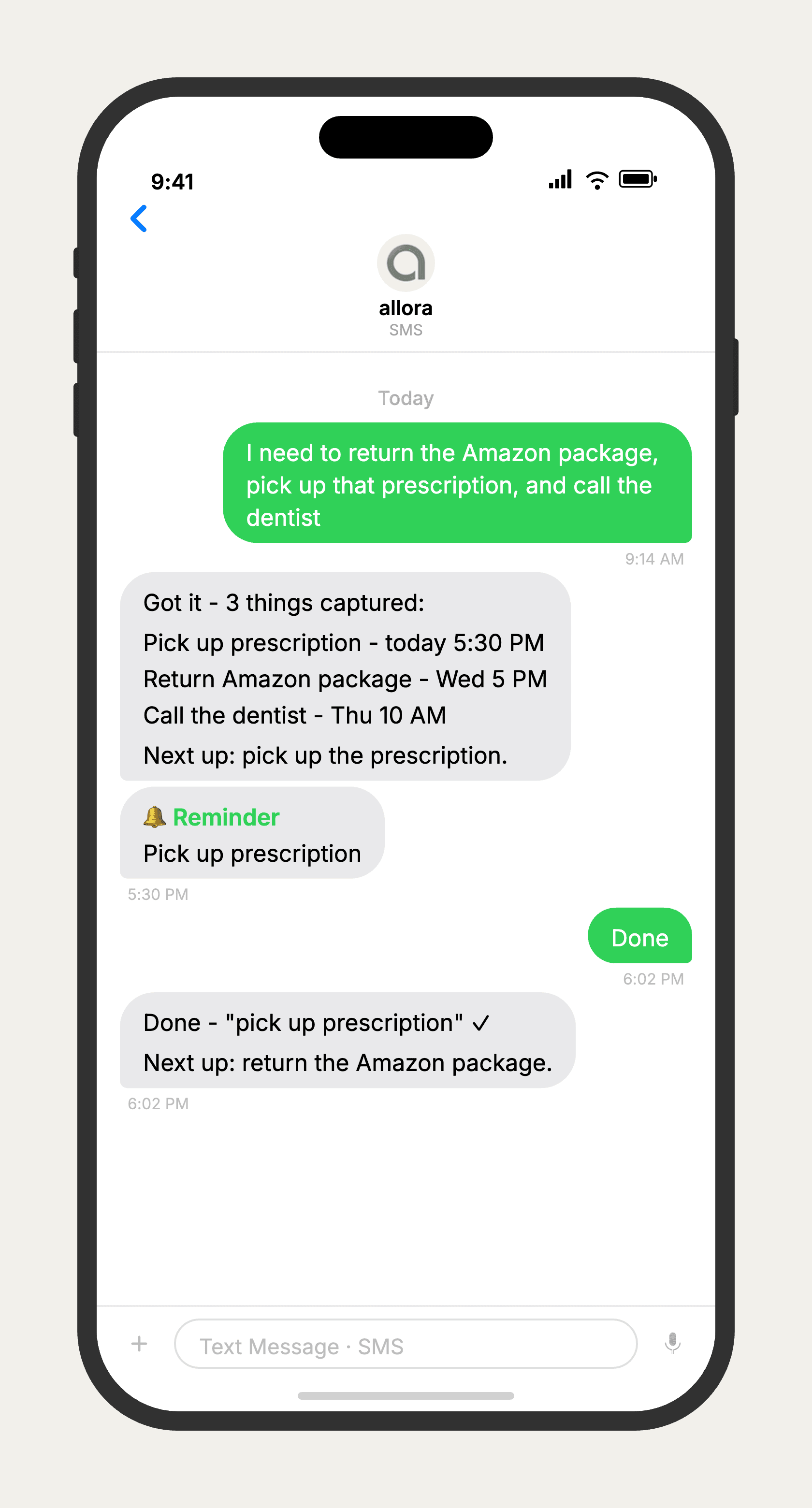
Three tasks in one text. All handled.
allora vs To-Do List Apps
To-do list apps are built for people who want to manage tasks. allora is built for people who want to stop thinking about them. If you need project boards, team collaboration, or complex workflows, a to-do list app is the right choice. If you keep abandoning to-do list apps because they feel like work, allora removes the list entirely and just reminds you when something matters.
Comparison reflects common to-do list app features (Todoist, TickTick, Microsoft To Do, etc.) as of 2026.
Done managing lists?
allora works by text. No downloads, no dashboards, no system to maintain.
Try It FreeWhat allora can do
More Than Any To-Do List
allora goes beyond task lists. Everything works by text message.
Text Message Reminders
Set one-time or recurring reminders by texting in plain English. allora texts you back when the moment arrives.
Voice Memos
Send a voice note instead of typing. allora transcribes it and turns it into a task or reminder automatically.
Calendar-Aware Scheduling
Connect Google or Apple Calendar. allora checks your schedule and finds the right time for reminders.
Article & Video Summaries
Send any article URL or YouTube link. allora summarizes it and saves the key points for you.
Notes & Shopping Lists
Text a grocery list or a quick note. allora keeps it organized and sends it back when you need it.
Inspiration Mode
Get daily affirmations, motivational quotes, journal prompts, or sweet messages - on your schedule.
Tasks & Projects
Capture tasks in a text. allora organizes them, tracks progress, and nudges you to keep moving.
Works on Any Phone
No app to download. allora works entirely by text message - iPhone, Android, or any phone that texts.
To-Do List Apps vs allora - Common Questions
To-do list apps give you a place to store tasks. allora gives you a way to act on them. You text what you need to remember, and allora texts you back at the right time. No lists to scroll, no app to open, no system to maintain.
For personal reminders and everyday tasks, yes. If you need project boards, team assignments, or Kanban views, a to-do list app is the better tool. allora is for the person who keeps downloading to-do apps and abandoning them within a month.
Most to-do list apps become their own task. You spend time organizing, prioritizing, and reviewing instead of doing. The list grows, guilt builds, and eventually you stop opening the app. allora avoids this by removing the list entirely.
Yes. allora works via text message, so any phone that can send and receive texts works. No smartphone, no app store, no internet connection required to receive reminders.
allora also handles recurring reminders, shopping lists, reading lists, article summaries, and calendar-aware scheduling. But if you need team project management or complex workflows, a dedicated app is a better fit.