allora vs Google Reminders Alternative
Google Reminders hide in your calendar. allora texts you directly - no Google account needed, no app to check, no notification to miss.
Start with 3 days free, then choose annual or monthly pricing.
Where Google Reminders Fall Short
Buried in your calendar
Google Reminders show up as small cards in Google Calendar. If you do not open your calendar that day, you never see the reminder.
Easy to dismiss, hard to find
A Google Reminder notification is one swipe away from gone. Push notifications average just a 2-7% click-through rate (Business of Apps). Once dismissed, you have to dig back into the calendar or Assistant to find it.
Requires the Google ecosystem
Google Reminders need a Google account, a smartphone, and the Google Calendar or Assistant app. allora needs a phone number.
Reminders Delivered to Your Messages
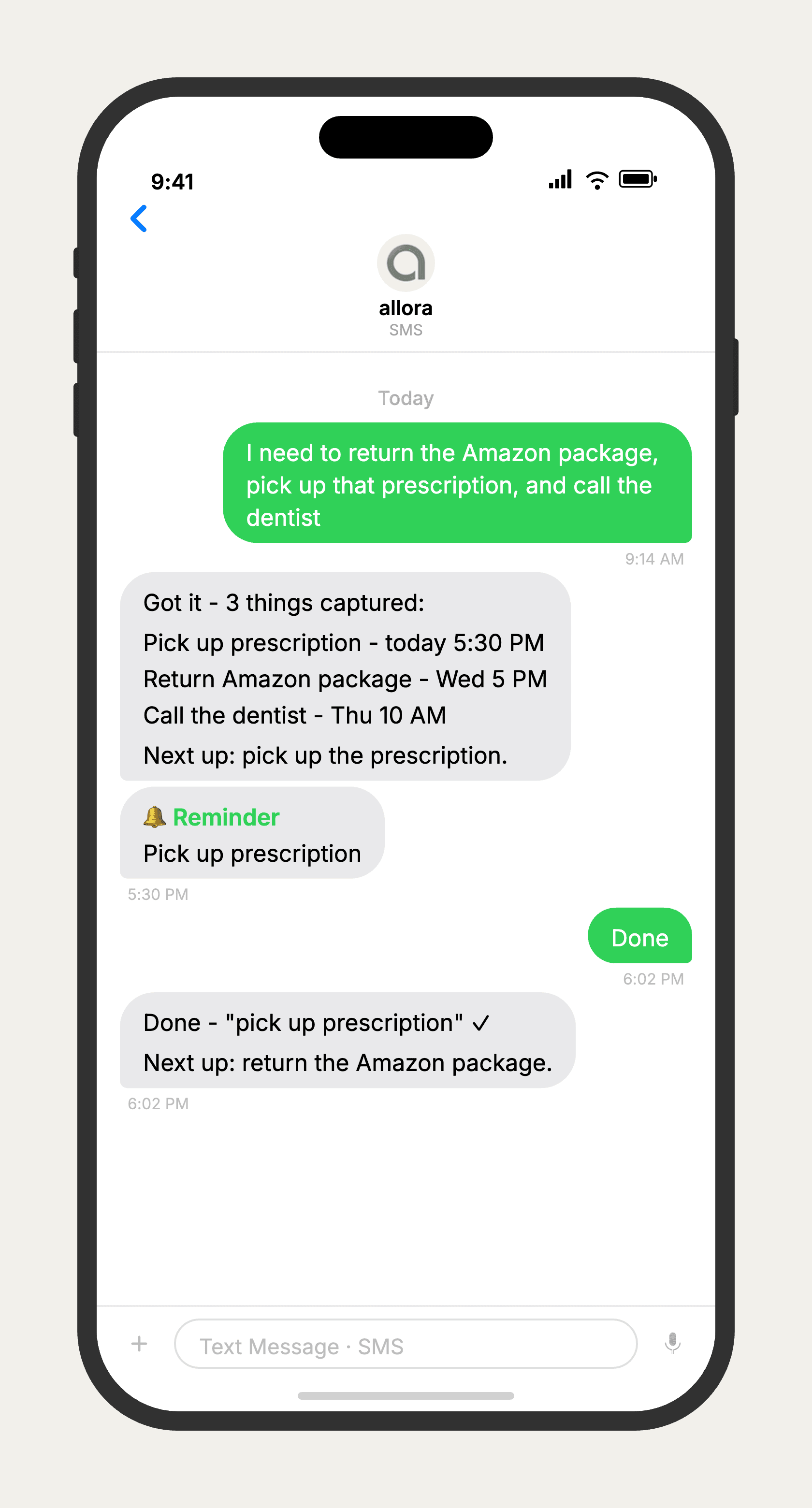
allora vs Google Reminders
Google Reminders work best within the Google ecosystem - voice commands through Google Assistant, tight calendar integration, and location-based triggers. allora works outside any ecosystem. It sends reminders as text messages to any phone, requires no account, and stays visible in your message thread until you act. If you rely on Google Assistant voice commands or location triggers, Google Reminders is the better choice. If your problem is that reminders disappear before you act on them, allora solves that.
Features based on publicly available information as of 2026. Google Reminders features may vary by device and region.
Tired of reminders you never see?
allora texts you. No app, no calendar, no notifications to miss.
Try It FreeWhat allora can do
Beyond What Google Reminders Offers
allora does more than remind. Everything works by text message.
Text Message Reminders
Set one-time or recurring reminders by texting in plain English. allora texts you back when the moment arrives.
Voice Memos
Send a voice note instead of typing. allora transcribes it and turns it into a task or reminder automatically.
Calendar-Aware Scheduling
Connect Google or Apple Calendar. allora checks your schedule and finds the right time for reminders.
Article & Video Summaries
Send any article URL or YouTube link. allora summarizes it and saves the key points for you.
Notes & Shopping Lists
Text a grocery list or a quick note. allora keeps it organized and sends it back when you need it.
Inspiration Mode
Get daily affirmations, motivational quotes, journal prompts, or sweet messages - on your schedule.
Tasks & Projects
Capture tasks in a text. allora organizes them, tracks progress, and nudges you to keep moving.
Works on Any Phone
No app to download. allora works entirely by text message - iPhone, Android, or any phone that texts.
allora vs Google Reminders - Common Questions
Google Reminders live inside Google Calendar and Google Assistant. You see them as small cards you can easily miss or dismiss. allora sends you a text message - it shows up in your message thread like a text from a friend. No app to check, no notification to swipe away.
Yes. allora integrates with Google Calendar and checks your schedule when setting reminder times. If you have a meeting at 3pm, allora will not schedule a reminder at 3pm - it finds a better time automatically.
Yes. allora works via text message and does not require any account, app, or login. Any phone that can send and receive texts works with allora.
If you set Google Reminders and then forget to look at them, they are not working for you. allora texts you - the reminder arrives where you already are, without you needing to check anything.
No. allora focuses on time-based reminders delivered via text. If you rely on location triggers - like being reminded when you arrive at the grocery store - Google Reminders handles that better.
Yes. allora integrates with Google Calendar. When you set a reminder, allora checks your calendar for conflicts and schedules around your meetings. You keep your calendar for events and use allora for reminders that actually reach you.
Yes. allora works via text message, so it works on every Android phone, every iPhone, and any other phone that can send and receive texts. No Google Play download needed, no app to install.