allora vs Google Keep: A Simpler Alternative
Google Keep is a great place to jot things down. It just doesn't remind you unless you go looking. allora texts you at the right time - no app to open, nothing to check.
Start with 3 days free, then choose annual or monthly pricing.
The Problem With Sticky Notes on Your Phone
It's a notepad, not a reminder system
Google Keep is built for jotting things down, not for nudging you when it matters. A note you wrote three weeks ago is still just sitting there - it won't chase you.
You have to remember to open it
Keep only works when you go check it. If a task doesn't cross your mind, the note might as well not exist. There is no follow-up unless you set a manual alarm.
No natural-language scheduling
Setting a reminder in Keep means opening the note, tapping the reminder icon, and picking a date and time by hand. Texting 'remind me Friday morning' just works with allora.
One text. Three tasks sorted.
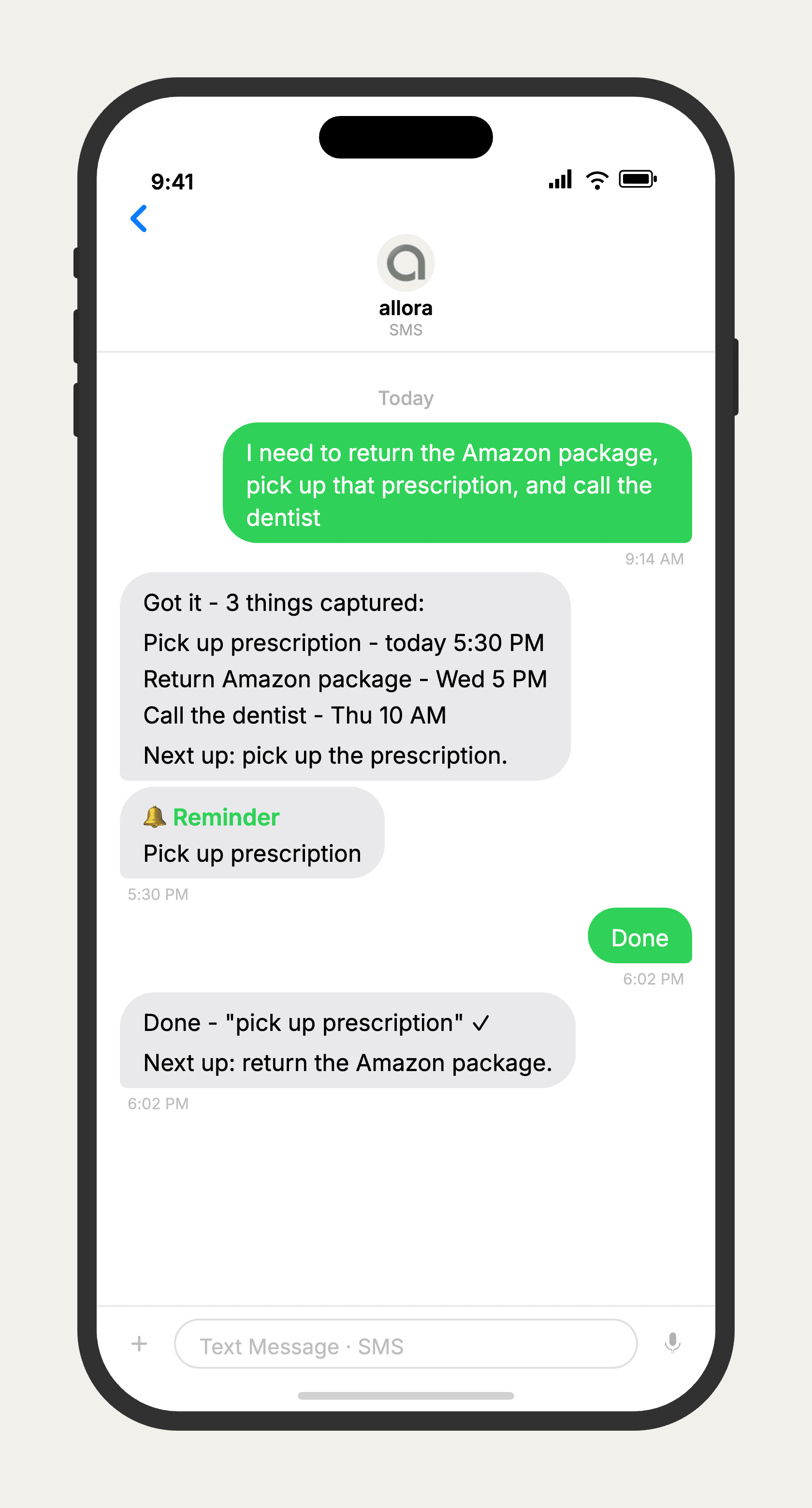
allora vs Google Keep
Google Keep is a genuinely good free note-taking app - fast capture, color-coded organization, and sync across every device tied to your Google account. Where it falls short is follow-through: notes and checklists sit passively until you open the app, and reminders require manual setup with no natural-language input. allora is built around the opposite idea - you text what you need to remember, in plain language, and allora texts you back at the right time. If you want a visual board for freeform notes, Keep is hard to beat. If you keep writing things down and still forgetting them, allora is built for that gap.
Features based on publicly available information as of 2026. Google Keep features may vary by account and platform.
Tired of notes that never follow up?
allora works by text. No downloads, no boards to scroll, no forgotten sticky notes.
Try It FreeWhat allora can do
What Google Keep Can't Do
allora goes beyond notes. Everything works by text message.
Text Message Reminders
Set one-time or recurring reminders by texting in plain English. allora texts you back when the moment arrives.
Voice Memos
Send a voice note instead of typing. allora transcribes it and turns it into a task or reminder automatically.
Calendar-Aware Scheduling
Connect Google or Apple Calendar. allora checks your schedule and finds the right time for reminders.
Article & Video Summaries
Send any article URL or YouTube link. allora summarizes it and saves the key points for you.
Notes & Shopping Lists
Text a grocery list or a quick note. allora keeps it organized and sends it back when you need it.
Inspiration Mode
Get daily affirmations, motivational quotes, journal prompts, or sweet messages - on your schedule.
Tasks & Projects
Capture tasks in a text. allora organizes them, tracks progress, and nudges you to keep moving.
Works on Any Phone
No app to download. allora works entirely by text message - iPhone, Android, or any phone that texts.
allora vs Google Keep - Common Questions
Google Keep is a note-taking app - you write things down and organize them with colors and labels. allora is a reminder system - you text what you need to remember, and allora texts you back at the right time. Keep waits for you to check it. allora comes to you.
Yes, Google Keep supports basic time-based and location-based reminders. But you set them manually inside the app, and there is no natural-language scheduling or proactive follow-up. allora reads what you text - 'remind me to call mom Sunday at 5' - and just handles it.
For quick capture and shopping lists, yes - text it and allora keeps it organized. If you rely on Keep's colored sticky notes, labels, and visual board layout for freeform brainstorming, that's a different use case allora doesn't try to replace.
Google Keep is free. allora is free for 3 days, then $15/mo. The tradeoff is what you're paying for: Keep is a place to store notes, allora is a system that actively reminds you and keeps things moving without you having to check back in.
Yes - allora works over text message, so it runs on any phone that can send and receive texts. Google Keep requires the app or a browser tab and a Google account; allora needs neither.
Keep's reminders require you to open the app to create them and use exact formats. allora understands plain language, texts you at the right moment instead of just alarming, and can pull other things off your plate too - like grocery lists, recurring tasks, or a quick note from a voice memo.
Yes. There's no import tool, but you don't need one - just start texting the things you'd normally jot in Keep. Notes, checklists, and reminders all go to the same number, and allora sorts out what's what.
More comparisons
allora vs Notion
A lightweight text-based alternative to Notion's all-in-one workspace.
Read more →Best Reminder App Alternatives 2026
Compare every reminder app by platform - Mac, iPhone, Android.
Read more →Notes & Lists by Text
See how allora handles notes, checklists, and shopping lists over SMS.
Read more →