Daily Text Reminders by SMS
Set daily text reminders with one message. Text allora your schedule and it repeats automatically - daily, weekly, monthly, or any cadence you describe. No app required.
Free for 3 days, then $15/mo. Cancel anytime.
Stop Recreating the Same Reminder Every Week
Recurring reminders repeat on a schedule you define - daily habits, weekly tasks, monthly bills. With allora, you text the schedule once in plain English and the reminders keep coming. No toggling repeat settings, no recreating alarms, no remembering to remember.
6+ taps in most apps
Setting up a recurring reminder in a typical app means tapping through date pickers, repeat menus, and save buttons. With allora, one sentence does it all.
Phone alarms are soulless
Alarms buzz with no context. You dismiss them and forget why they were set. allora texts you with the actual task - "Take your vitamins" not just a generic beep.
You keep making new reminders
Without a recurring option, you end up setting the same reminder every week. allora remembers the pattern so you set it once and never think about it again.
Daily vitamins. Weekly groceries. Monthly rent. One conversation.
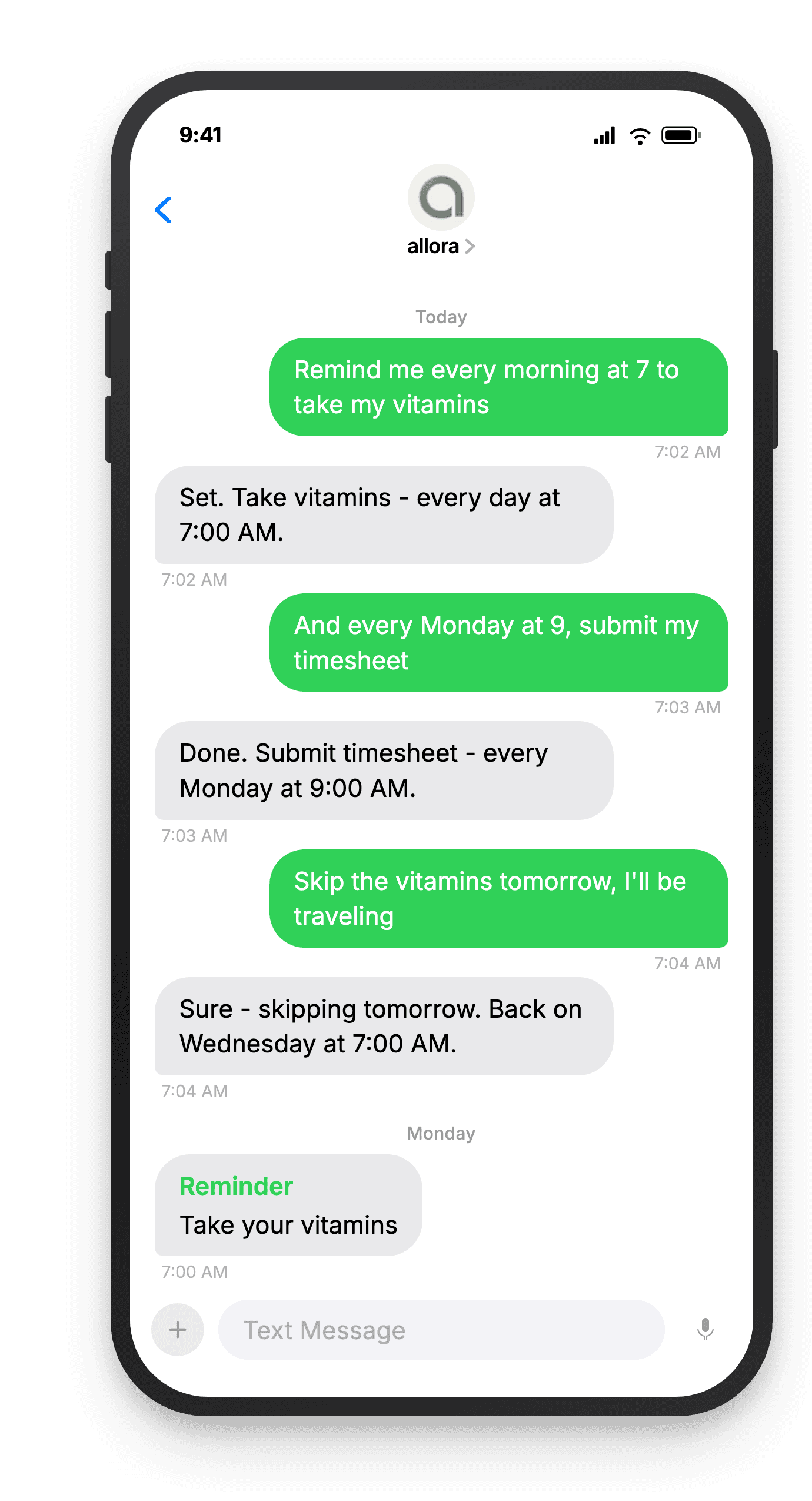
How Recurring Reminders Work
Describe the schedule once. allora handles the rest.
Text allora what to repeat and how often
Just describe it naturally. "Remind me every Monday to submit my timesheet" or "every morning at 7am take vitamins." Daily, weekly, monthly - whatever cadence you need.
remind me every Monday to submit my timesheet
allora locks in the schedule
allora confirms the recurring schedule and sets it up instantly. No calendar app, no repeat toggles, no fumbling through menus. One text and the recurring reminder is live.
Set! Submit timesheet - every Monday 9:00 AM
You get a text every time, on time
Each occurrence arrives as a text message. Reply done when you finish, or adjust the schedule any time by texting. Skip a week, change the time, or cancel - all by reply.
Reminder: Submit your timesheet
Ready to set a reminder that repeats itself?
Text your schedule once. allora handles every occurrence after that.
Try It FreeWhat allora can do
Beyond Recurring Reminders
Recurring is just one part. Here is everything allora does by text.
Text Message Reminders
Set one-time or recurring reminders by texting in plain English. allora texts you back when the moment arrives.
Voice Memos
Send a voice note instead of typing. allora transcribes it and turns it into a task or reminder automatically.
Calendar-Aware Scheduling
Connect Google or Apple Calendar. allora checks your schedule and finds the right time for reminders.
Article & Video Summaries
Send any article URL or YouTube link. allora summarizes it and saves the key points for you.
Notes & Shopping Lists
Text a grocery list or a quick note. allora keeps it organized and sends it back when you need it.
Inspiration Mode
Get daily affirmations, motivational quotes, journal prompts, or sweet messages - on your schedule.
Tasks & Projects
Capture tasks in a text. allora organizes them, tracks progress, and nudges you to keep moving.
Works on Any Phone
No app to download. allora works entirely by text message - iPhone, Android, or any phone that texts.
Recurring Reminders - Common Questions
Yes - all three. Text "every day at 8am" for daily, "every Monday" for weekly, or "every 1st of the month" for monthly. You can also do custom frequencies like "every other Friday" or "every Tuesday and Thursday." Just describe the schedule naturally.
Yes. When a recurring reminder fires, reply with a new time like "no, make it 7am" and allora will update the schedule going forward. You can also text "change my vitamins reminder to 9am" at any time.
Just ignore the reminder or reply "skip" when it fires. The recurring schedule stays active and the next occurrence fires on time. allora only cancels the series if you explicitly tell it to.
There is no hard limit. Most people have between 3 and 10 active recurring reminders - things like daily habits, weekly check-ins, and monthly bills. Set as many as you need.
allora is free for 3 days, then $15/mo. That covers everything - recurring reminders, one-time reminders, task management, all features. There is no extra charge per reminder or per recurrence.
Daily: take vitamins, drink water, journal, stretch. Weekly: review budget, meal prep, submit timesheet, clean the house. Monthly: pay rent, check smoke detectors, review subscriptions. allora handles all of these with a single text.
Yes. Text "every Tuesday and Thursday at 6pm remind me to go to the gym" and allora creates reminders for both days. You can name any combination of days. allora understands "weekdays," "weekends," and specific day names.
Text allora "stop the vitamins reminder" or "remove my morning stretching reminder" and it cancels the recurring schedule. You can also reply "remove" when a recurring reminder fires. The series stops and no more messages are sent.